
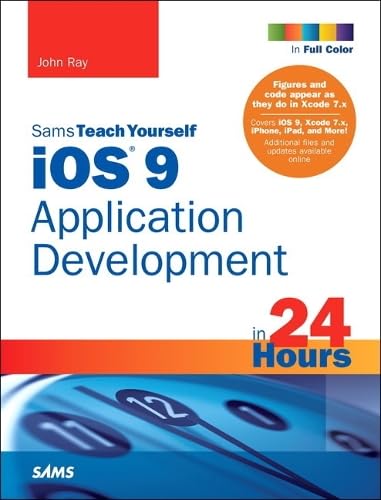
ios 9 Application Development in 24 hours / Sams Teach Yourself :
Material type: TextPublication details: USA: Pearson Education, 2016.Edition: Seventh editionDescription: 945 pages : pbk, 24 cmISBN:
 - 978-0-672-33767-3
- 005.26 RAY
| Item type | Current library | Call number | Status | Date due | Barcode | |
|---|---|---|---|---|---|---|
| Books | Govt. Graduate College Gulberg, Lahore - Central Library | 005.26 RAY (Browse shelf(Opens below)) | Available | 16020 |
Browsing Govt. Graduate College Gulberg, Lahore - Central Library shelves Close shelf browser (Hides shelf browser)


Index included.
In just 24 sessions of one hour each, learn how to build powerful applications for today’s hottest handheld devices: the iPhone and iPad! Using this book’s straightforward, step-by-step approach, you’ll master every skill and technology you need, from setting up your iOS development environment to building great user interfaces, sensing motion to writing multitasking applications. Each lesson builds on what you’ve already learned, giving you a rock-solid foundation for real-world success!
Step-by-step instructions carefully walk you through the most common iOS development tasks.
Quizzes and Exercises help you test your knowledge.
Notes present interesting information related to the discussion.
Tips show you easier ways to perform tasks.
Cautions alert you to possible problems and give you advice on how to avoid them.
Printed in full color—figures and code appear as they do in Xcode 7.x
• Learn to navigate the Xcode 7.x development environment and install apps on your iDevice
• Get started quickly with Apple’s Open Source language: Swift 2.0
• Test code and application logic using the iOS Playground
• Understand the Model-View-Controller (MVC) development pattern
• Visually design and code interfaces using Xcode Storyboards, Segues, Exits, Image Slicing, and the iOS Object Library
• Use Auto Layout and Size Classes to adapt to different screen sizes and orientations
• Build advanced UIs with Tables, Split Views, Navigation Controllers, and more
• Read and write preferences and data, and create System Settings plug-ins
• Use iOS media playback and recording capabilities
• Take photos and manipulate graphics with Core Image
• Sense motion, orientation, and location with the accelerometer, gyroscope, and GPS
• Use 3D touch to add Peek, Pop, and Quick Actions to your apps
• Integrate online services using Twitter, Facebook, Email, Web Views, and Apple Maps
• Create universal applications that run on both the iPhone and iPad
• Write background-aware multitasking applications
• Trace, debug, and monitor applications as they run
• Additional files and updates available online
There are no comments on this title.